October 14, 2026
Realistic Virtual Patients for OSCE Practice
A practical guide to virtual patients for OSCE history-taking practice: what realism means, how to use feedback, and what Klinico offers and does not offer yet.
- OSCE preparation
- medical education
- realistic virtual patients
- clinical reasoning
- Klinico
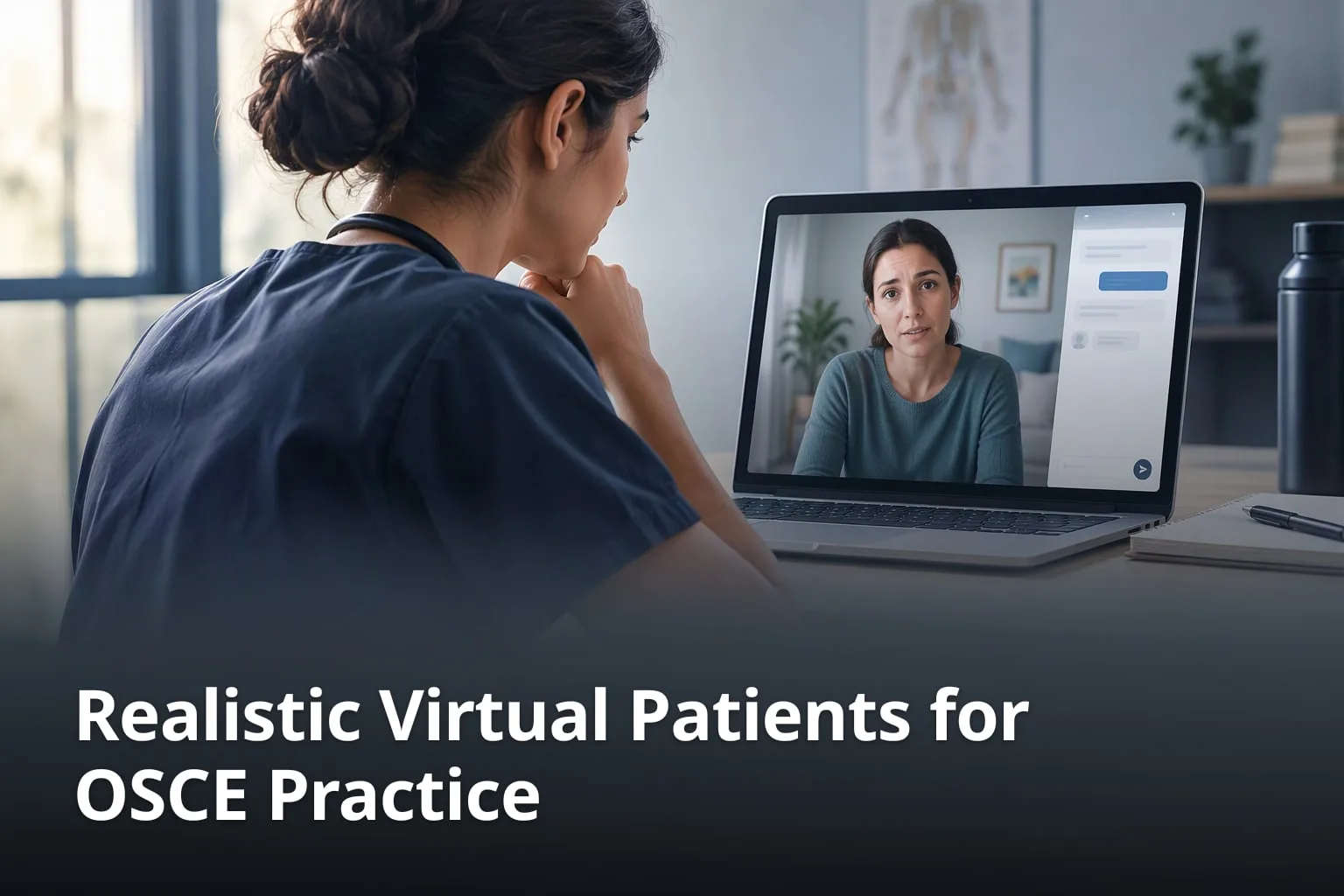
Objective Structured Clinical Examinations (OSCEs) test what you can do with a patient in front of you, not only what you know. Practising that needs a patient, and a tutor, a classmate or a simulated patient is not always free when you have time to practise. Virtual patients fill part of that gap. This guide explains which features make a virtual patient useful for OSCE preparation, how to get the most out of one, and what Klinico, an AI patient simulator for OSCE history-taking practice, does and does not offer today.
What are realistic virtual patients for OSCE exam practice?
A virtual patient for OSCE practice is a computer-simulated patient that a student interviews as they would in an exam station. The most useful ones let the student ask questions in their own words, answer in line with a case written in advance, and mark the conversation against a checklist afterwards. That gives the student the structure of an OSCE station without needing an actor, an examiner or a tutor in the room.
It helps to recall what an OSCE is built to test. According to AMEE Guide No. 81 (Khan and colleagues, Medical Teacher, 2013), the OSCE was first described by Harden in 1975 as an alternative to the long-case and short-case examinations. Candidates rotate through a circuit of short stations, usually 5–10 minutes each and sometimes up to 15 minutes, as the Wikipedia article on OSCEs summarises. Each station has a specific task, such as taking a history, examining a patient or explaining a diagnosis, and every candidate is marked against the same scheme.
What should a realistic virtual patient do?
- Respond to questions typed or spoken in the student's own words, not only to menu choices.
- Answer in line with a case written in advance, as a scripted simulated patient would.
- Give information when the student asks for it, so a missed question shows up as a missed item.
- Mark the conversation against a station checklist the student can review afterwards.
- Give feedback straight after the case, while the conversation is still fresh.
The point of realism is transfer to the exam. In an OSCE, candidates are awarded marks for each step they perform correctly, so a student needs to practise asking the right questions, in a sensible order, within the time allowed. A virtual patient that answers free-text questions makes the student come up with those questions rather than recognise them from a list. That is much closer to the exam than reading a history-taking template.
Realism also means consistency. The Wikipedia article on OSCEs notes that where simulated patients are used, they are given detailed scripts so that every candidate receives the same information, even down to the emotions the patient shows. A virtual patient should work the same way, so that a student can compare one attempt with the next. Two frameworks are worth knowing before you start, because Klinico breaks both out in its marking: SOCRATES for pain (Site, Onset, Character, Radiation, Associations, Time course, Exacerbating and relieving factors, Severity) and ICE, the patient's Ideas, Concerns and Expectations.
How does Klinico make its virtual patients realistic?
Klinico's AI patients hold free-text history-taking conversations. According to Klinico's website, a medical student has a realistic, free-text conversation with a simulated patient, and the conversation is then scored against the OSCE history-taking checklist with personalised feedback. Each case is written from a real presenting complaint, to Macleod's standard.
What does Klinico's realism rest on?
- Free-text conversations in which the student asks questions in their own words.
- Scripted cases, each written from a real presenting complaint to Macleod's standard.
- Item-by-item marking against the station's checklist, with SOCRATES and ICE broken out.
- Strengths and misses shown as soon as the case ends.
- Voice conversations with patients, which are listed from the free trial upwards.
Klinico describes its patients as scripted. For exam practice that is useful: the case content is written in advance from a real presenting complaint, while the student is free to phrase each question as they like. On Klinico's features page, an example respiratory case opens with the patient saying, "I've had a cough and fever for the last three days," and the student follows up by asking when the cough started.
The range of cases matters as much as the realism of each one. Klinico's case library page listed 176 cases across 11 clinical systems when we checked in October 2026: cardiovascular (15), respiratory (15), endocrine (25), gastrointestinal (15), nervous system (16), musculoskeletal (15), renal (15), reproductive (15), dermatology (15), ophthalmology (15) and ENT (15). Students choose a system and a difficulty, and Klinico selects the patient.
Each conversation is then marked item by item. Klinico's FAQ says the transcript is scored against the official OSCE history-taking checklist, and that you get a percentage score (items covered out of total items) plus your strengths and specific areas for improvement. The home page describes the marking as being against the station's own checklist, with SOCRATES and ICE broken out. Keep in mind that OSCE stations and their scoring rubrics are set by whoever runs the exam; AMEE Guide No. 81 is written for exactly those people. Treat any practice checklist as a guide to a well-structured history rather than a copy of your own school's mark sheet.
Feedback arrives as soon as the case ends. Klinico's home page puts it as strengths and misses landing "the second the case ends, not three weeks later". Its features page shows what that looks like: a respiratory history scored at 82%, with "27 / 33 items covered", strengths such as "Explored ICE clearly" and "Full SOCRATES taken", and a tip to "Ask about red flags".
Why is feedback important in OSCE practice?
Feedback turns repetition into improvement: it shows a student which checklist items they covered, which they missed and what to practise next. Without it, a student can repeat the same omission, such as forgetting to ask about red flags, many times without noticing. Research on mock OSCEs shows how much students value it. In a study in Medical Teacher (Braier-Lorimer and Warren-Miell, 2022), 78 students completed a survey after a near-peer-led mock OSCE, a response rate of 92.8%. 100% of respondents felt it highlighted areas of weakness in their knowledge and skills, and students reported that it significantly improved their confidence for their summative OSCE. An earlier peer-assisted mock OSCE for 245 third-year students, reported in The Clinical Teacher (Young and colleagues, 2014), found that the main themes in students' comments were improved confidence and valued feedback. Both studies looked at mock OSCEs run by students, not at virtual patients, but they show why feedback after each station is worth having.
1. Read the item-by-item breakdown, not just the score
Klinico's Student plan includes detailed rubric-based feedback. After each case, look at which checklist items you covered and which you missed, not only at the overall percentage. A result of 27 / 33 items tells you far less than knowing which six items were missing and why you skipped them.
2. Turn repeated misses into a short practice list
Klinico's feedback lists strengths and areas to improve separately. Write down the misses that keep coming back. If you explore ICE well but keep forgetting red flags, make red flags the focus of your next few cases, and check each new feedback report to see whether that item is now covered.
3. Track your progress over time
The Student plan includes progress tracking across sessions, and the home page describes a live score per system, which shows which station to practise next. Use it to spot the systems you have been avoiding as well as the ones where your score has stopped rising.
4. Use the feedback to choose your next case
Klinico's about page says useful feedback should show what you justified, what you missed and where to focus. Pick your next case from the system with the lowest score, and come back to a similar presenting complaint until the same missed items stop appearing.
What does Klinico's feedback include?
- An item-by-item score against the station's history-taking checklist.
- A percentage score based on items covered out of total items.
- Strengths and specific areas for improvement after each case.
- SOCRATES and ICE broken out in the marking.
- Basic feedback on the free trial; detailed rubric-based feedback and progress tracking on the Student plan.
What does Klinico offer for OSCE preparation?
Klinico offers AI patients for OSCE history-taking practice, with checklist scoring and feedback after each case. Its FAQ says it is built for medical students preparing for OSCE exams, especially history-taking stations, and that it is designed and built together with the students who use it. It runs in a web browser on phone, tablet and laptop, with nothing to install. The steps below show how to get started and what to expect from each plan.
1. Start with the free trial
The free trial includes a limited number of AI patient cases per month, voice conversations with patients and basic feedback after each case. Use it to check whether the conversation style and the feedback suit the way you study before you pay for anything.
2. Upgrade if you want unlimited cases
The Student plan costs $10 per month, or $100 per year. It adds unlimited AI patient cases, the full history-taking module, detailed rubric-based feedback and progress tracking across sessions. The pricing page labels yearly billing as a 17% saving.
3. Learn the structure the checklist rewards
Because every conversation is scored item by item, you soon see which parts of a history you tend to skip. Over several cases the structure becomes a habit. That matters because in the real exam the mark sheet is in the examiner's hands, not yours, so the structure has to come from memory.
4. Know what is not included yet
Klinico's about page describes a practice journey that runs from meeting the patient and taking the history to examining and investigating, making a diagnosis and learning from feedback. On the pricing page, however, physical examination and imaging are both marked "Coming soon". For now, use Klinico for history-taking and clinical reasoning, and practise examination skills in your skills lab or with classmates.
Which Klinico plan includes what?
- Free trial: limited AI patient cases per month, voice conversations and basic feedback after each case.
- Student, $10 per month or $100 per year: unlimited AI patient cases, the full history-taking module, detailed rubric-based feedback and progress tracking across sessions.
- Institutions, custom pricing: everything in Student, plus cohort seats, faculty progress dashboards and custom cases written to the curriculum.
- Physical examination and imaging: listed as coming soon on the pricing page.
How does Klinico support clinical reasoning practice?
Klinico supports clinical reasoning by making the student decide what to ask and commit to a likely diagnosis. Its about page says it gives medical students a place to practise conversations, clinical reasoning and decision-making before the OSCE room, and the feedback then shows what the student justified and what they missed. The steps below turn that into a routine for each case.
1. Start from the clinical brief
Each case starts with a realistic AI patient and a focused clinical brief. Read the brief as you would the instructions on an OSCE station door, and note exactly what the task asks for. On the endocrinology example shown on Klinico's about page, the task is to take a focused history and explain your most likely diagnosis.
2. Follow the clues in the history
Klinico's about page describes the history step as asking naturally, following clues and building a history the way you would in an OSCE. Start with an open question and let the patient talk. Then use a framework such as SOCRATES to make sure you cover every feature of a pain before you move on to closed questions, past history, medication and social history.
3. Explore ideas, concerns and expectations
ICE is easy to forget under time pressure. Geeky Medics' ICE guide (2023) suggests open questions such as "What do you think is causing this?" and "What is your biggest worry at the moment?", and advises weaving ICE through the conversation rather than treating it as a box-ticking exercise. Because Klinico breaks ICE out in its marking, the feedback shows whether you covered it.
4. Commit to a diagnosis and explain it
The endocrinology example opens with the patient saying, "I've been feeling tired for months." Finish each case by stating your most likely diagnosis and the history findings that support it. Practise saying your reasoning out loud: the Wikipedia article on OSCEs notes that candidates are commonly asked for a differential diagnosis, for the investigations they would request, or for a management plan.
5. Make mistakes in practice, not in the exam
One of the beliefs on Klinico's about page is that mistakes belong in practice: "A safe attempt today is a chance to notice the gap before it follows you into the OSCE room." Treat a low score on a first attempt as information, read the feedback, and try a similar case again.
What types of cases can students practise with Klinico?
Students can practise history-taking cases across 11 clinical systems, from cardiovascular and respiratory to dermatology, ophthalmology and ENT, and Klinico's FAQ says new cases are added regularly. The case library page describes the focus of each collection, which is a useful guide to what each station asks you to explore.
1. Start with the core systems
The library describes the cardiovascular collection as building a focused cardiac history and exploring how symptoms affect everyday activity. The respiratory collection explores breathing symptoms, relevant exposures and their impact on daily life, and the gastrointestinal collection asks for a clear digestive history while handling sensitive questions with care. Sample cases on the home page include chest pain, breathlessness, abdominal pain and joint pain histories.
2. Practise the sensitive histories
Some collections test communication as much as content. The renal collection asks for a sensitive urinary history and changes in fluid balance, and the reproductive collection asks for a respectful reproductive history with clear, sensitive questions. In these stations, how you ask matters as much as what you ask, so they are worth practising before the exam rather than meeting for the first time in it.
3. Connect symptoms across systems
The endocrine collection, the largest with 25 cases, is described as connecting changes across body systems through a structured endocrine history. The nervous system collection, with 16 cases, focuses on the sequence of neurological symptoms and changes in everyday function. These cases reward a careful timeline as much as a complete checklist.
4. Check the library for new cases
Klinico's FAQ says new cases are added regularly, and its newsletter covers product updates and new case releases. The site does not publish a release schedule, so check the case library for the current list before you plan a revision week.
5. Ask about custom cases for your course
On the Institutions plan, Klinico offers custom cases written to the institution's curriculum. This lets a medical school add stations that match the presentations its own course teaches.
How does Klinico compare to traditional OSCE preparation methods?
Klinico works as a complement to practice with tutors, classmates and simulated patients, not a replacement for it. Its strengths are availability and immediate, checklist-based feedback on history-taking. Live practice is still where you rehearse physical examination, which Klinico lists as coming soon, and where a human observer can comment on how you come across. Klinico itself says it gives every student unlimited practice cases with instant feedback, at a fraction of the cost of running simulated patients.
1. Practise when it suits you
Traditional practice depends on a tutor, classmates or simulated patients being free at the same time. A peer-run mock OSCE has to be organised: the one reported by Young and colleagues (2014) involved 103 fourth-year tutors running stations for 245 third-year students. Klinico runs in a web browser on phone, tablet and laptop, so you can open a case whenever you have time.
2. Repeat cases as often as you need
A role-play session with classmates covers only a handful of cases. Klinico's Student plan includes unlimited AI patient cases, so you can repeat a system until the same items stop being missed. The free trial includes a limited number of cases per month.
3. Get feedback the moment the case ends
Feedback from a tutor or examiner may come at the end of a session or later. Klinico's feedback arrives when the case ends, with strengths, areas to improve and the checklist items you missed. A human observer still adds something different: comments on body language, rapport and examination technique, which are hard to judge from a conversation transcript.
4. Compare like with like
The Wikipedia article on OSCEs notes that different patients or actors have been known to give candidates more help than others. With Klinico, the cases are written in advance and each conversation is scored against the station's checklist, which makes it easier to compare your results from one attempt to the next.
5. Pick the plan that fits
Klinico has a free trial and a Student plan for individuals, and a custom Institutions plan for universities, medical schools and student clubs. Students can start on their own, and a school can later add cohort seats if the tool fits its teaching.
How can medical schools benefit from Klinico?
Medical schools can use Klinico's Institutions plan to give a whole year group history-taking practice with feedback between taught sessions. The plan includes everything in the Student plan, plus cohort seats for the whole year group, faculty progress dashboards and custom cases written to the curriculum. Pricing is custom, and schools can book a meeting or get in touch through Klinico's website.
1. Request custom cases for your curriculum
Custom cases are written to the school's curriculum, so the stations students practise can reflect the presentations the course actually teaches.
2. Follow progress with faculty dashboards
The Institutions plan includes faculty progress dashboards. Klinico's FAQ adds that a student's sessions and scores stay private by default, unless the student is on the Institutions plan and chooses to share progress with a course. Schools should plan for that opt-in step when they introduce the tool.
3. Give the whole cohort the same access
Cohort seats cover the whole year group, so every student gets the same access instead of practice depending on who has bought a personal plan.
4. Use simulated patients where they add most
Klinico pitches its Institutions plan as giving every student unlimited practice cases with instant feedback at a fraction of the cost of running simulated patients. It does not publish a cost comparison, so schools should weigh it against their own simulated-patient costs. A practical split is to use AI patients for repeated history-taking practice and keep simulated-patient sessions for examination and communication stations.
5. Check data and access before rollout
According to Klinico's FAQ, students can export their data at any time in standard formats, and nothing needs to be installed because it runs in the browser. Both points are worth confirming with your IT and data protection teams before you roll out any software to a whole cohort.
FAQ
Short answers to common questions, based on Klinico's own website as checked in October 2026.
What is Klinico?
An AI patient simulator for OSCE history-taking practice. A medical student has a free-text conversation with a simulated patient, and the conversation is then scored against the OSCE history-taking checklist with personalised feedback.
Who can benefit from Klinico?
Medical students preparing for OSCE exams, especially history-taking stations. Universities, medical schools and student clubs can also give a whole year group access through the Institutions plan.
How does Klinico provide feedback?
After each conversation, the transcript is scored item by item against the station's history-taking checklist. You get a percentage score (items covered out of total items) plus strengths and specific areas for improvement. The free trial includes basic feedback, and the Student plan adds detailed rubric-based feedback.
What cases are included in Klinico?
History-taking cases across 11 clinical systems: cardiovascular, respiratory, endocrine, gastrointestinal, nervous system, musculoskeletal, renal, reproductive, dermatology, ophthalmology and ENT. The case library listed 176 cases in October 2026, and Klinico says new cases are added regularly.
Does Klinico include physical examination practice?
Not yet. The pricing page lists physical examination and imaging as coming soon, so plan to practise examination skills elsewhere for now.
How much does Klinico cost?
There is a free trial with a limited number of cases per month. The Student plan costs $10 per month or $100 per year, and the Institutions plan has custom pricing.
Is Klinico available for institutions?
Yes. The Institutions plan includes everything in the Student plan plus cohort seats for a whole year group, faculty progress dashboards and custom cases written to the curriculum.
Is my practice data shared with my school?
Not by default. According to Klinico's FAQ, sessions and scores stay private unless you are on the Institutions plan and choose to share progress with a course.
Do I need special software to use Klinico?
No. According to Klinico's FAQ, it runs in a web browser and works on phone, tablet and laptop, with nothing to install.
Try a history-taking case on Klinico's free trial, or compare the plans at https://www.klinico.co/pricing.
What are the sources?
Every product fact in this article comes from Klinico's own website, and the general OSCE facts come from the published studies and reference pages below. All pages were checked in October 2026.
Which pages does this article use?
- Klinico, home page and FAQ, https://www.klinico.co/
- Klinico, Features, https://www.klinico.co/features
- Klinico, Pricing, https://www.klinico.co/pricing
- Klinico, About, https://www.klinico.co/about
- Klinico, Case library, https://www.klinico.co/product/case-library
- Khan et al. (2013), The OSCE: AMEE Guide No. 81, Part I, Medical Teacher, https://doi.org/10.3109/0142159X.2013.818634
- Braier-Lorimer and Warren-Miell (2022), A peer-led mock OSCE improves student confidence, Medical Teacher, https://doi.org/10.1080/0142159X.2021.2004306
- Young et al. (2014), The benefits of a peer-assisted mock OSCE, The Clinical Teacher, https://doi.org/10.1111/tct.12112
- Wikipedia, Objective structured clinical examination, https://en.wikipedia.org/wiki/Objective_structured_clinical_examination
- Wikipedia, SOCRATES (pain assessment), https://en.wikipedia.org/wiki/SOCRATES_(pain_assessment)
- Geeky Medics, Ideas, Concerns and Expectations (ICE) OSCE Guide (2023), https://geekymedics.com/ice/